Sleep and Your Technology

Tips for better Sleep:

I read an interesting article the other day about cellphones and sleep.  It indicated that there is scientific evidence that using your tablet, cell, or watching a movie at night didn’t cause the long term harm other scientists have concluded. “Yay!” I said to myself because I do have trouble sleeping and frequently turn to my cell phone for entertainment until I feel sleepy enough to try to fall asleep again.Tips for better sleep

So I started reading Checking Your Phone At Night Won’t Necessarily Throw Off Your Internal Clock to confirm that I could now watch Star Trek at 3 am without worrying.  But in the very first paragraph, it stated:

“People who only occasionally fall down an internet rabbit hole on their smartphones late at night might be able to rest easier—at least according to the results of a new study in mice. Researchers found that short bursts of light exposure at night won’t necessarily disrupt your internal clock, including sleep habits.”

and:

“What is clear, the authors cautioned, is that chronic nighttime light exposure, and the disruptions to our sleep it can cause, can be very bad for health. In other words, don’t use this study as an excuse to start regularly binge-watching Netflix till 4 a.m.”

So basically, there’s nothing new here. Using your cellphone or tablet at night, even with the brightness turned way down, is harmful to your health. So, I guess I’ll need to find some kind of “go-to-sleep” meditation or take melatonin.

Other Sleep Disturbances:

It’s important to note that light is only one factor that causes sleep disturbances. Technology can cause other disturbances as well. Sound and vibrations can wake you up, or contribute to sleep quality, which never falls into the deep sleep range.

Recommendations for better Sleep:

  • Keep your phone, tablet, and other technology in another room to charge overnight, if you can.
  • Turn the sound off.
  • Turn off silent notifications – i.e., vibrations
  • If you wear a smartwatch that is paired with your phone, make sure you turn off nighttime notifications too.  Nothing like having your wrist buzzing at midnight!

Please forward this to your friends who send you text messages at 4 in the morning!

Information about Geek For Hire, Inc.

I’ve created a Free Report on what to look for to protect yourself from “phishing” scams. Click here to receive it!

Chris Eddy of Geek For Hire, Inc. has been providing computer service to families and small businesses with Mac’s and PCs for the past eighteen years. Angie’s List and the BBB rate Geek For Hire very highly.  You can find more on our website, or give us a call 303-618-0154. Geek For Hire, Inc. provides onsite service (Tier 3 support) to the Denver / Boulder / Front Range area as well as remote service throughout North America.

We’ve been using Amazon Prime for the past few years.  We like the free and fast shipping.  With Prime, we have access to online streaming too. Prime is usually $119/year, but you can get a free 30-day trial by clicking on this link: Try Amazon Prime 30-Day Free Trial. As an Amazon Associate, we earn from qualifying purchases.

9 Easy Tips to Keep Safe on the Internet

Here are some fast tips to keep you safe on the internet:

  1. Set up a throwaway email account. So many times I am asked for my email address and I’m not sure I want to provide it.  This makes it a little safer.  You can quickly get a free email from Google. Remember the password, and be sure you set up auto-forwarding to your main email address.
  2. When you’re away from home but have to use WiFi, try to go to a well-known company that will probably have safeguards built-in.  Sorry independent coffee shops, but Starbucks is probably a safer choice than Caffeine-Arama.Internet Safety
  3. Whatever you do, don’t try to connect to WiFi with names like “TellMy WiFi LuvHer”, or “FBI Surveillance Van” or  “Hacker 547”.  (Yes, I’ve seen all of those.)  Remember the adage – “If it’s free, YOU are the product”.  To keep safe on the internet, think about what they might be getting out of the transaction to provide you with free WiFi.
  4. You can also go to your cellular carrier and ask them to make your cell phone a WiFi hot spot. (They generally charge a monthly fee for this.) Then you can connect your computer to WiFi wherever you are without worrying about someone hacking in who is also using the free WiFi.
  5. If you do need to use the free WiFi at a coffee shop, library, rest area,  etc., use a VPN so that your data is encrypted before it leaves your computer.
  6. Be wary about using computers at the library, especially if you need to enter sensitive or private information.  Most libraries are probably pretty proactive about scrubbing their machines regularly to keep malware and keystroke savers off, but not all libraries are aware that they need to do anything.
  7. Set up a separate debit card account with your bank from which to make online purchases. When you’re ready to make a purchase transfer the needed funds into the account.  Talk with your banker about the best way to do this without being subject to additional fees.
  8. Set up a Paypal account and use that for online purchases.
  9. You don’t need to provide your real name, address, or birthday just because someone asks for it.

Conclusion:

Be diligent about your Digital Privacy!  Follow these tips and stay safe on the Internet.

Please forward this to your friends who do a lot of traveling.

Information about Geek For Hire, Inc.

I’ve created a Free Report on what to look for to protect yourself from “phishing” scams. Click here to receive it!

Chris Eddy of Geek For Hire, Inc. has been providing computer service to families and small businesses with Mac’s and PCs for the past eighteen years. Angie’s List and the BBB rate Geek For Hire very highly.  You can find more on our website, or give us a call 303-618-0154. Geek For Hire, Inc. provides onsite service (Tier 3 support) to the Denver / Boulder / Front Range area as well as remote service throughout North America.

We’ve been using Amazon Prime for the past few years.  We like the free and fast shipping.  With Prime, we have access to online streaming too. Prime is usually $119/year, but you can get a free 30-day trial by clicking on this link: Try Amazon Prime 30-Day Free Trial. As an Amazon Associate, we earn from qualifying purchases.
Digital Privacy and Alexa

If you know anything about me at all, you know that I am passionate about privacy: digital privacy to be specific. The fact that our smartphones, tablets, and other smart devices are always listening to us, storing that information, and even selling it makes me crazy.

I’ve recently learned that the Amazon Alexa device keeps everything until you delete it. Whoa! I can delete that data on Alexa? (By the way, Alexa is just like Apple’s Siri.  You can ask questions, set timers, and ask either of them to look up information on the web. Alexa is available with the Echo Dot and the Echo Show.)

Here’s how to maintain some level of digital privacy on your Alexa:Digital Privacy and Alexa

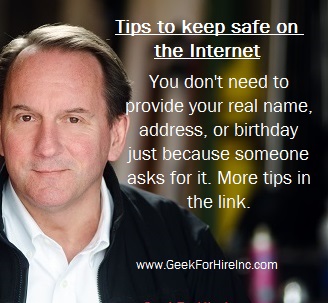
First, open your Amazon account on your computer using your favorite browser.  We like Firefox because it tends to be a little more respectful of our privacy than some of the other browsers.

  • Then, hover over the “Accounts and Lists” down arrow.
  • Next, click on “Your Content and Devices”  about 3/4 of the way down the list.
  • Then click on “Alexa Privacy” and then “Manage Voice Recordings.”  From there, you will see an option to delete everything.

According to Tom’s Guide, some of the newer devices allow you to delete your history on a day-by-day basis by merely saying: “Alexa, delete everything I said today.”

Digital Privacy in the News:

There have been several articles that have caught my eye recently.  Here is just a sampling:

  • Amazon confirms it keeps Alexa recordings forever
    • “If you (like so many of us) hate listening to recordings of your own voice, you may be in for an unpleasant future, as Amazon has confirmed it hangs on to every conversation you’ve ever had with an Alexa-enabled device until or unless you specifically delete them.”
  • How to stop companies from selling your data
    • “The second you fill out an online survey, purchase a new home or subscribe to a magazine, your information may be scooped up by a data company and sold to a subterranean market for personal information on millions of people. These data brokers are building profiles about you, using thousands of pieces of information such as your age, income, race, ethnicity and interests and helping marketers use this data”
  • Simple steps to take to keep your data secure
    • “Social media services have become a significant part of our lives. However, despite these various benefits, some would still opt out of social media if it helped to restore their digital privacy forever.”
  • Tracking us with Digital “Fingerprints
    • “If there’s one lesson to learn about digital privacy, it’s that we can never grow complacent. Even if we secure our data so we are not tracked online, the ad tech industry will find ways to monitor our digital activities.”
  • Location Privacy and your Smartphone
    • “Most smartphone users don’t really lock down their security settings, sticking with the default settings that came with the phone. When they add a new app to their phone, they may not think to check what data they are sharing with the app developer.”

Conclusion:

Be diligent about your Digital Privacy!

Please forward this to your friends with an Alexa device.

Information about Geek For Hire, Inc.

I’ve created a Free Report on what to look for to protect yourself from “phishing” scams. Click here to receive it!

Chris Eddy of Geek For Hire, Inc. has been providing computer service to families and small businesses with Mac’s and PCs for the past eighteen years. Angie’s List and the BBB rate Geek For Hire very highly.  You can find more on our website, or give us a call 303-618-0154. Geek For Hire, Inc. provides onsite service (Tier 3 support) to the Denver / Boulder / Front Range area as well as remote service throughout North America.

We’ve been using Amazon Prime for the past few years.  We like the free and fast shipping.  With Prime, we have access to online streaming too. Prime is usually $119/year, but you can get a free 30-day trial by clicking on this link: Try Amazon Prime 30-Day Free Trial. As an Amazon Associate, we earn from qualifying purchases.
Phone Scams and how to protect yourself

Privacy and Security

I’ve been reading some concerning news recently about the volume of phone scams going around. There are more and more each month.  You might wonder why there are so many of them and why the authorities can’t put an end to all of them.  There are good answers to both of those questions:

Why are there so many phone scams going around?Phone Scams

The reason is simple.  People fall for phone scams.  They voluntarily provide their user ID and password, or their name and birthday.  Worse, they’ll hand over their credit card number to a random person calling on the phone.  There are so many scams because they are profitable.  Before you say “Well, I would never do that!”, you should know that the scams have gotten much more sophisticated over the past few years. It’s only after you’ve given out your information and hung up the phone, that you realize that maybe all is not as it seemed.

Why can’t the authorities put an end to these scams?

Are you familiar with the term “Fly-by-night”? It is used to describe a person that sets itself up as a respectable business person, accepting payment in exchange for a promised good or service. Then, all of a sudden, they’ve closed up shop and moved.  Well, that’s what these bad operators are, with the added benefit of the internet.

Back “then,” you’d call the Police Department, and they would work with other Officers in the next county or state to catch them.  Today, the scammers will collect your money, and almost before your call is over, they will have changed their IP address so that it looks like they’re in a different country.

The authorities can’t put an end to the scams, because they have a challenging time catching the perpetrators.

What should you do if you fall for one of these phone scams?

First, don’t beat yourself up about it.  The people who call are very sophisticated and convincing.  They know all the right words to say to get you to give them what they want.

If you provide credit card information:

  • First, call your banker to let them know.  Ask them to deny the charge.
  • If you have online access to your bank account, log on at least once a day for the next few weeks to see if there is any suspicious activity.
  • You should also ask them for a new credit card with a new number.

If you allow remote access to your computer:

  • The first thing to do is to disconnect the computer from the internet. Unplug the ethernet cable or turn off the WiFi.
  • Next, run your virus scanner and delete any viruses or other malware that may be installed on your machine.
  • If you feel like they’ve installed something that you can’t get rid of, give us a call, and we’ll give your machine a good scrub.

How can you protect yourself from email scams?

I’ve created a Free Report on what to look for to protect yourself from “phishing” scams. Click here to receive it!

Conclusion:

Remember that Microsoft or Google will not call you if you have a virus on your machine.  Run your virus scanner regularly, and just say no to people who call and want to access your computer, or want you to sign up for online computer support.

Please forward this to your friends who may be susceptible to phone scams.

Information about Geek For Hire, Inc.

Chris Eddy of Geek For Hire, Inc. has been providing computer service to families and small businesses with Mac’s and PCs for the past eighteen years. Angie’s List and the BBB rate Geek For Hire very highly.  You can find more on our website, or give us a call 303-618-0154. Geek For Hire, Inc. provides onsite service (Tier 3 support) to the Denver / Boulder / Front Range area as well as remote service throughout North America.

We’ve been using Amazon Prime for the past few years.  We like the free and fast shipping.  With Prime, we have access to online streaming too. Prime is usually $119/year, but you can get a free 30-day trial by clicking on this link: Try Amazon Prime 30-Day Free Trial. As an Amazon Associate, we earn from qualifying purchases.

Solid State Drive – What is it and Why Do I Need One?

For the past several years, whenever Chris had to replace a hard drive in a Mac or PC or is designing a new computer for a customer, he always recommends that they get a Solid State Drive (SSD), rather than the traditional Hard Disk Drive (HDD). Why?Solid State Drive - Why do I need one?

For a long time, I just didn’t get it. Why is “newer” always “better” for these geeks?!  Chris patiently explained to me some of the benefits.

More Robust:

Because a Solid State Drive has no moving parts, there aren’t any parts to break. This makes the SSD perfect for those who don’t count “grace” as one of their better qualities. It’s also a better choice for frequent travelers.

Speed:

SSD’s are faster. Machines with an SSD will boot faster, open programs faster, transfer files faster. Games process more quickly too. When seconds count, choose an SSD.

Lighter:

When you’re lugging a laptop through an airport, you want to shed every excess ounce that you can.  SSD’s weigh less than the HDD’s.

Downside:

SSD’s are more expensive to purchase than HDD’s. But, considering that the SSD will last longer, that’s only a short term problem.  If you’re looking to get a new machine under $500, you will be getting a standard hard drive.

Here’s a great explanation from PC Magazine of how an HDD saves your data:

“The traditional spinning hard drive (HDD) is the basic nonvolatile storage on a computer. That is, it doesn’t “go away” like the data on the system memory when you turn the system off. Hard drives are essentially metal platters with a magnetic coating. That coating stores your data, whether that data consists of weather reports from the last century, a high-definition copy of the Star Wars trilogy, or your digital music collection. A read/write head on an arm accesses the data while the platters are spinning in a hard drive enclosure.”

And here’s a description from TechTerms on how the Solid State Drive works:

“While SSDs serve the same function as hard drives, their internal components are much different. Unlike hard drives, SSDs do not have any moving parts (which is why they are called solid state drives). Instead of storing data on magnetic platters, SSDs store data using flash memory. Since SSDs have no moving parts, they don’t have to “spin up” while in a sleep state and they don’t need to move a drive head to different parts of the drive to access data. Therefore, SSDs can access data faster than HDDs.”

Here are some additional articles that compare SSDs and HDDs:Solid State Drive

Purchasing Recommendations:

When a customer needs to have their machine rebuilt, Chris recommends this internal SSD from Samsung.

Remember that upgrading the standard hard drive in your Mac or PC to a Solid State Drive will make your machine run much faster.  It’s a very affordable upgrade and may make more sense than buying a new computer.  Contact us if you’re thinking of an upgrade. Remember that we can install your new SSD once it arrives as well.

And if you ever need help partitioning your HDD or SSD, give us a call.

Please forward this to your friends who may need a new hard drive in their Mac or PC.

Information about Geek For Hire, Inc.

I’ve created a Free Report to protect you from “phishing” scams. Click here to receive it!

Chris Eddy of Geek For Hire, Inc. has been providing computer service to families and small businesses with Mac’s and PCs for the past eighteen years. Angie’s List and the BBB rate Geek For Hire very highly.  You can find more on our website, or give us a call 303-618-0154. Geek For Hire, Inc. provides onsite service (Tier 3) to the Denver / Boulder / Front Range area as well as remote service throughout North America.

We’ve been using Amazon Prime for the past few years.  We like the free and fast shipping.  With Prime, we have access to online streaming too. Prime is usually $119/year, but you can get a free 30-day trial by clicking on this link: Try Amazon Prime 30-Day Free Trial. As an Amazon Associate, we earn from qualifying purchases.

Original post: 28 April 2015

Updated: 11 June 2019

Found a lost Cell Phone – What should you do next?

Do you ever wonder what to do when you find a lost cell phone?  You could wait for it to ring and hope it is someone who actually knows the person and is not a sales call. Or you could bring it into the nearest police department and hope for the best.  We’ve got some other ideas that are quicker and probably more effective to reunite that lost cell phone.  (Plus the cops are busy.  They’ll probably just toss in the lost and found box under their admin’s desk!)

First – check for contact information:

  • Hopefully, they have their phone password protected. (You have a password for your phone, right?!) But the lock screen should have a way to make an emergency call.  Click on “ELost Cell Phone - Call Mommergency” to see if they have set that up with an emergency contact.
  • If that doesn’t work, very carefully remove the phone case if they have one. Sometimes people will tape a contact number on the inside of the phone case.

If they don’t have easily accessible contact information, try this next:

  • Press the “Home” button on the lost cell phone until you activate the phone’s voice assistant.
    • Say “Ok Google” for an Android
    • “Hey Siri” for an iPhone
    • For a Samsung, hold the Bixby button and say “Hey Bixby.
  • Once it has responded, say “Call Mom” or “Call Dad”.
  • If the phone is off, it may need to be charged a little before you can make the call.

If none of that works, the next thing to try is to turn that lost cell phone in:Lost Cell Phone - Carrier

  • Don’t bring it to the local police department. As I mentioned above, they will probably just toss it into their lost and found box and wait for someone to call looking for it.
  • Check the phone to see who the carrier is. You should be able to see AT&T, Sprint, Verizon, T-Mobile, etc.  Drop it off at the local store.  They will be able to figure out whose it is and reunite it with the proper person.

Be a Good Samaritan:

  • Before you drop it off, give it a full charge.  It may be a few hours before the rightful owner can pick it up.

How to set up the Emergency Information on your iPhone:

  • Click on Settings
  • Then click on “Emergency SOS”
  • Then select “Edit Emergency Contacts”
  • From there you will be able to enter your emergency contact

Share this widely so people know what to do when they find a lost cell phone!

I’ve created a Free Report to protect you from “phishing” scams. Click here to receive it!

Chris Eddy of Geek For Hire, Inc. has been providing computer service to families and small businesses with Mac’s and PCs for the past fifteen years. His company is highly rated by both the BBB (Better Business Bureau) and by Angie’s List. You can find more on our website, or give us a call 303-618-0154. Geek For Hire, Inc. provides onsite service (Tier 3) to the Denver / Boulder / Front Range area as well as remote service throughout North America.

We’ve been using Amazon Prime for the past few years.  We like the free and fast shipping.  With Prime, we have access to online streaming too. Prime is usually $119/year, but you can get a free 30-day trial by clicking on this link: Try Amazon Prime 30-Day Free Trial. As an Amazon Associate, we earn from qualifying purchases.

Tagged

Electronic Recycling and Buy Back Programs

UPDATED: 20 May 2019

I received an interesting email the other day from Staples telling me about their recycling program.  I always assumed I could walk into any big box store with my old electronics and pay a fee to recycle it.  This email told me that I could bring it there for free.  That made me start to wonder what other options are out there for our customers, not only to recycle but also, to possibly get a discount on their next purchase.  We frequently get calls from folks wondering about electronic recycling.  Here’s some helpful info.

If you’re thinking about fixing your older equipment, take a look at this article.

What to do first:

Once you’ve decided to get rid of your older devices, you must remove all of your sensitive data.  Deletelectronic recyclinge all of your apps, all of your contacts, your emails, your texts, photos, etc.  Many of the Electronic Recycling Programs say that they will do this for you before they sell it to someone else, but why take the chance?  (Yes, we can help you with this if you’d like.)

Why do you want to Recycle your Electronic Devices:

Many of the components in our electronic devices are toxic, so it’s really important to make sure they get recycled properly. If you just toss your laptop battery in the trash, many of those toxins will leach right into our water supply!

Electronic Recycling Options:

You have a  whole bunch of options for getting rid of your old stuff:

Sell It

Rather than electronic recycling, you can try to sell your old phone, tablet, or computer. (Remove your personal data first!) You could start with eBay or Craig’s List.  You can also try buy-back programs at places like Best Buy, Amazon, AT&T, Sprint, Staples, and Apple.  You’ll get a little less money for your device, but it’s really easy to do, with much less hassle than finding a buyer, shipping it, etc.

Donate It:

Habitat for Humanity, Goodwill, Salvation Army, etc. But, first of all, remember to remove your personal data!

Give It Away:

Put the item on your local Facebook page, or post it in your local Freecycle group.  But, please make sure that you have removed all of your personal data first!

Recycle it Properly:

If you’re not able to sell your equipment or give it away, bring it to an authorized recycling center. Head over to this website and enter your zip code to find the nearest place to you.  This is sponsored by DirecTV, but I took a quick look at the recycling centers in my area. It seems like they take more than just TVs. Expect to pay anywhere from $5-$50 to recycle your equipment.

What to do first – Yes, the very first thing you do!

Before you sell, give away, or donate your equipment, remove your personal data!

(Originally posted on 6 November 2018.)

I’ve created a Free Report to protect you from “phishing” scams. Click here to receive it!


Chris Eddy of Geek For Hire, Inc. has been providing computer service to families and small businesses with Mac’s and PCs for the past fifteen years. His company is highly rated by both the BBB (Better Business Bureau) and by Angie’s List. You can find more on our website, or give us a call 303-618-0154. Geek For Hire, Inc. provides onsite service (Tier 3) to the Denver / Boulder / Front Range area as well as remote service throughout North America.

We’ve been using Amazon Prime for the past few years.  We like the free and fast shipping.  With Prime, we have access to online streaming too. Prime is usually $119/year, but you can get a free 30-day trial by clicking on this link: Try Amazon Prime 30-Day Free Trial. As an Amazon Associate, we earn from qualifying purchases.

Tagged

Poor Cell Phone Service – Some Tips to Remedy

Even with all the improvements in cellular technology I still run into areas which have very poor cell phone service. There are the times when I’m the passenger in a car and the cell phone quality just gets worse and worse.

Does this ever happen to you?  You’re talking on the phone and the quality of the call keeps decreasing.  You keep waiting for your call to switch to the next cell tower but that never seems to happen.  What should you do?

We used to drive up and over a section of the highway that we dubbed “The Hill of Cellular Death”.  It was pretty much guaranteed that when you got about two-thirds of the way up the hill on either side, your cell call would drop.  It got to be that I wouldn’t even answer my cell phone when the vehicle I was traveling in was within a half mile of that hill.  Thankfully they now have a low profile tower on that hill and my calls don’t get dropped anymore.

What should you do when your smartphone gets really poor cell phone service?

This is what that pesky “Airplane Mode” button is for!  Put your phone into “Airplane Mode” so that it turns off your cell service, your WiFi, and your Bluetooth. Leave it off for about five to ten seconds and then turn it back on.  This will force the phone to search for the strongest cell tower in the area.

bad cell service

More Info:

Please forward this to your friends who complain about their poor cell phone service.

Information about Geek For Hire, Inc.

I’ve created a Free Report to protect you from “phishing” scams. Click here to receive it!

Chris Eddy of Geek For Hire, Inc. has been providing computer service to families and small businesses with Mac’s and PCs for the past eighteen years. Angie’s List and the BBB rate Geek For Hire very highly.  You can find more on our website, or give us a call 303-618-0154. Geek For Hire, Inc. provides onsite service (Tier 3) to the Denver / Boulder / Front Range area as well as remote service throughout North America.

We’ve been using Amazon Prime for the past few years.  We like the free and fast shipping.  With Prime, we have access to online streaming too. Prime is usually $119/year, but you can get a free 30-day trial by clicking on this link: Try Amazon Prime 30-Day Free Trial. As an Amazon Associate, we earn from qualifying purchases.
Wondering How To Rent And Stream “A Star Is Born” And Other Oscar Nominated Movies In 2019?

Have you been wondering how to rent and stream “A Star Is Born” and other Oscar Nominated movies in 2019?  Technology seems to change so quickly and it’s hard to know how to do stuff that was easy just a few years ago.  (A few years ago we would run down to the local video store, then pick out what we wanted, and finally get ready to pay the late fee when it wasn’t returned in two days!)

I don’t know about you, but ever since this version of “A Star Is Born” came out, I’ve been thinking about the one with Kris Kristofferson from decades ago. Maybe not the best actor, but I loved his music!

Here’s a list of all the nominees for Best Picture:

Available to stream on Netflix:

  • Black Panther
  • Roma

Available to Buy or Rent on Amazon Prime, iTunes, and YouTube:wondering how to rent and stream "A Star Is Born"?

  • Black Panther
  • BlacKkKlansman
  • Bohemian Rhapsody
  • There’s a link to a free Amazon Prime trial below.

Available for pre-order:

  • The Favourite
  • Green Book
  • Vice

Are you still wondering how to rent and stream “A Star Is Born”?

Head over to their webpage.  You’ll see all of the options there to stream online, or to go to a physical store to purchase it.  Then pop up a big batch of popcorn and enjoy!

Free Movie Streaming

There aren’t a lot of places to watch movies for free online.  Doing my research today, I did find a website that has (older) movies, documentaries, educational, and training films.  It’s called Kanopy.   The only catch is that your library needs to be registered with them.  Check them out!

Please forward this to your movie loving colleagues.

Information about Geek For Hire, Inc.

I’ve created a Free Report to protect you from “phishing” scams. Click here to receive it!

Chris Eddy of Geek For Hire, Inc. has been providing computer service to families and small businesses with Mac’s and PCs for the past eighteen years. His company is highly rated by both the BBB (Better Business Bureau) and by Angie’s List. You can find more on our website, or give us a call 303-618-0154. Geek For Hire, Inc. provides onsite service (Tier 3) to the Denver / Boulder / Front Range area as well as remote service throughout North America.

We’ve been using Amazon Prime for the past few years.  We like the free and fast shipping.  With Prime, we have access to online streaming too. Prime is usually $119/year, but you can get a free 30-day trial by clicking on this link: Try Amazon Prime 30-Day Free Trial. As an Amazon Associate, we earn from qualifying purchases.

Weird, but easy to fix computer problems

Weird, but easy to fix computer problems:

I received a call this morning from someone who was having a whale of a time trying to figure out what happened to his machine.  It ended up being one of those weird, but easy to fix computer problems.  His screen had turned upside down!  Now, this has happened to me a few times.  It generally happens when I’m juggling a notebook and phone which both fall onto my keyboard.  When you have an unexpected upside down screen, it’s pretty hard to do a Google search to figure out how to fix it.

How to do a Google search when your screen is upside down:weird, but easy to fix computer problems

  • First, open up a new tab in your browser by pressing the CTRL key and the N Key at the same time.
  • Next, carefully bring your mouse to the bottom of your screen and click inside the search bar
  • Finally, type your question in the search bar and then click on ENTER.
  • You could also do this search on your smartphone!

Email doesn’t arrive:

Another one of those weird, but easy to fix computer problems happened to me today.  I was expecting an important email from a business associate.  It didn’t arrive.  I asked them to send it again which they did.  Again, it didn’t arrive.  I was freaking out, wondering if someone had hacked my email account and was receiving all of my emails.  (That totally didn’t make sense, because I was receiving other emails from other people.) She resent it four times before either of us thought to check my spam folder.  Yup, that’s where all those emails were.

Also, I do try to check my spam folder two or three times a week.  We sometimes get customer emails that land up there, or an email from Staples when I really do need more copy paper.

Slow WiFi:

Another one of those weird, but easy to fix computer problems is when your wifi suddenly becomes g…l…a…c…i…a…l.  It still works, but just takes forever for a page to load.  When this happens, simply reboot your Router.  It’s just like your Windows machine.  Turn it off, wait 10 seconds, then turn it back on again.  If it continues to be really slow, contact your Internet Service Provider (ISP) and report the problem. They will run some diagnostics to confirm the problem or not.  If it ends up being in their network, they’ll get it fixed.  If it is a problem inside your house, ask them what they think the problem is.  They may tell you to get a technician in to help, or to get a new router.  Here’s a link to Chris’ favorite router.  If you need to troubleshoot the issue, we are happy to help.

So How Do I Fix the Upside Down Screen?

Press the CTRL key, the ALT key, and the Up Arrow at the same time.  (You can see that you probably pressed CTRL, ALT, and the down arrow to get there.)

Please forward this to your colleagues who have weird, but easy to fix computer problems.

Information about Geek For Hire, Inc.

I’ve created a Free Report to protect you from “phishing” scams. Click here to receive it!

Chris Eddy of Geek For Hire, Inc. has been providing computer service to families and small businesses with Mac’s and PCs for the past eighteen years. His company is highly rated by both the BBB (Better Business Bureau) and by Angie’s List. You can find more on our website, or give us a call 303-618-0154. Geek For Hire, Inc. provides onsite service (Tier 3) to the Denver / Boulder / Front Range area as well as remote service throughout North America.

We’ve been using Amazon Prime for the past few years.  We like the free and fast shipping.  With Prime, we have access to online streaming too. Prime is usually $119/year, but you can get a free 30-day trial by clicking on this link: Try Amazon Prime 30-Day Free Trial. As an Amazon Associate, we earn from qualifying purchases.